Tillio POS
LiveCheckout that keeps pace with a busy service
Big, clear tiles, options in one tap and totals your team can trust. Tillio POS runs in the browser on an iPad or touchscreen, works through internet drop-outs, and handles Australian GST and surcharges for you.
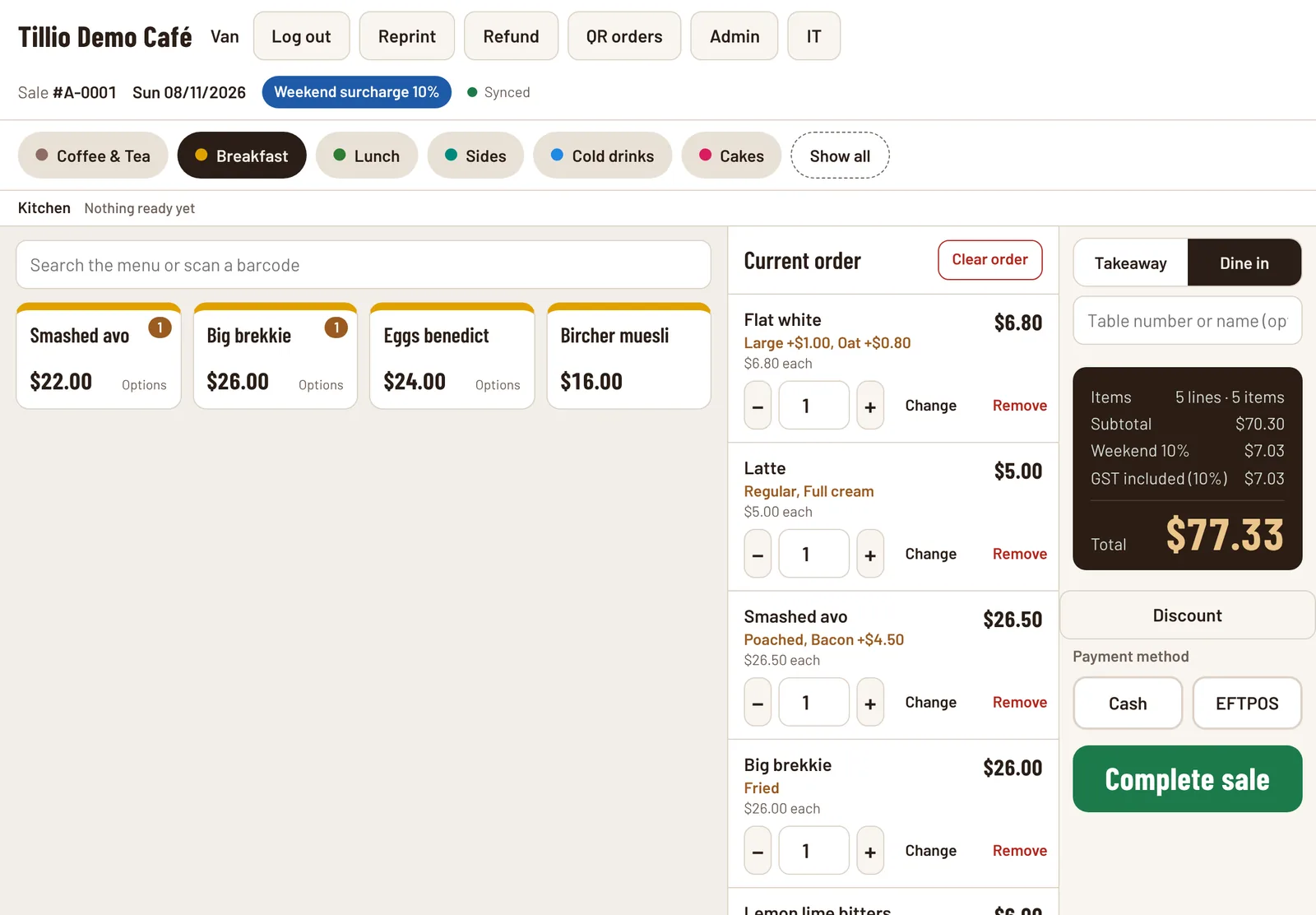
Real Tillio screens. Demo venue, sample data.
- Options and modifiers priced as you tap
- Weekend and public holiday surcharges applied automatically
- Keeps selling offline and syncs when you're back online
Tillio POS, step by step
- 01
Install on your iPads
Open your venue's Tillio address in Safari and add it to the home screen. No app store, no downloads.
- 02
Load your menu
We set up your categories, items, options and prices with you, ready for your first service.
- 03
Sign in and sell
Staff sign in with their own passcode. Managers approve refunds; owners control who can do what.
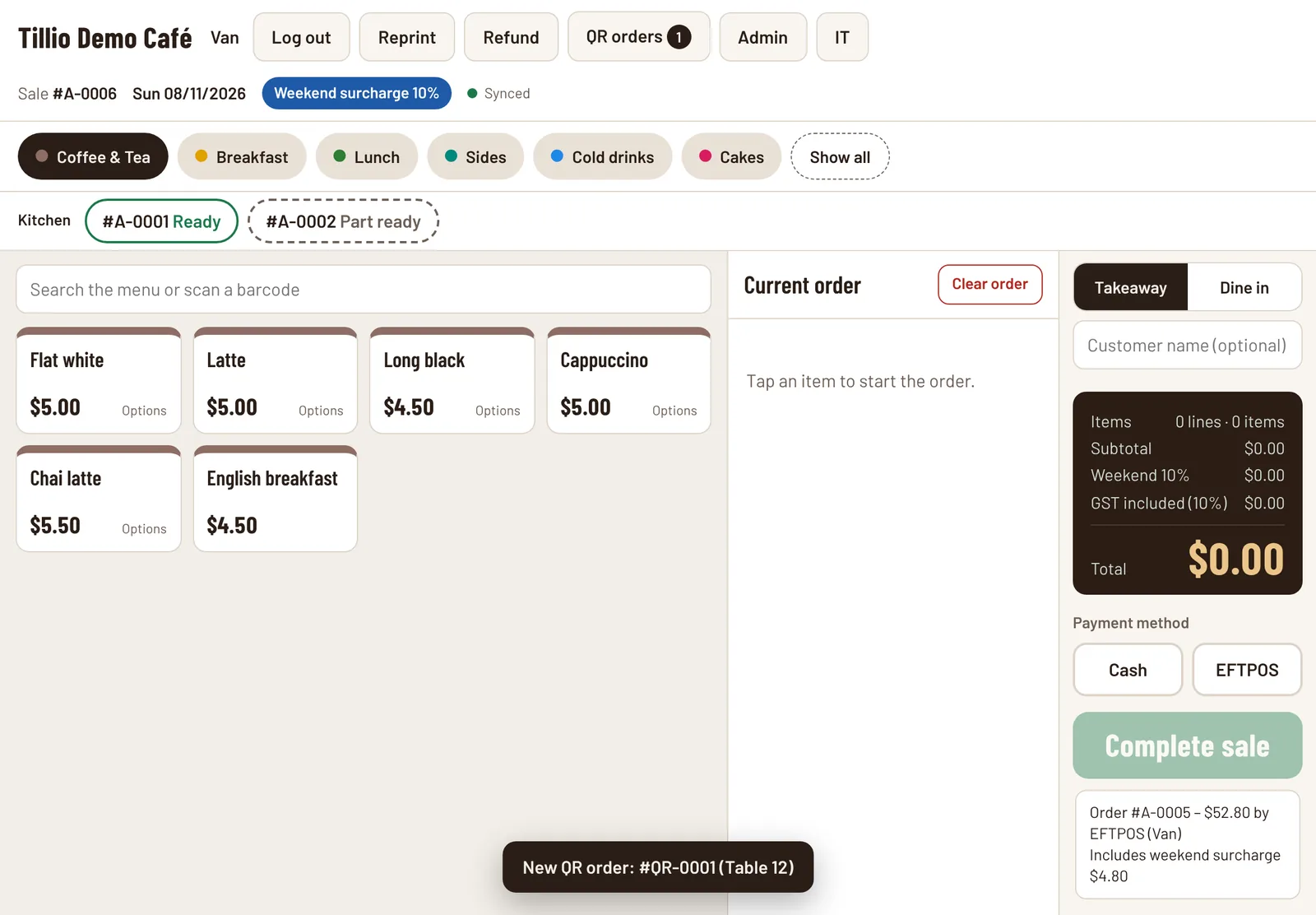
Real Tillio screens. Demo venue, sample data.
What it does today, and what's next
Every capability is labelled, so you know exactly what's available now.
Live
Available in Tillio today.Menu tiles, categories and search
LiveColour-coded categories, category groups and a search box that also takes barcode scans.
Options and modifiers
LiveRequired and optional choices such as size, milk or extras, each with its own price.
Dine in and takeaway
LiveOrder type and table or customer name on every sale and kitchen docket.
GST and surcharges
LiveGST shown on every sale. Weekend and public holiday surcharges calculated and reported separately.
Cash and EFTPOS
LiveRecord cash with change due, or EFTPOS taken on your existing terminal.
Refunds and voids
LiveRefunds need a manager's approval, checked by the server. Every void and refund records who did it.
Staff roles and passcodes
LiveStaff, Manager and Owner roles, with passcodes checked by the server. Only managers and owners can open Admin.
Works offline
LiveSales continue without internet and upload automatically when the connection returns.
Receipts and kitchen dockets
LivePrints to Epson network printers and USB receipt printers, including Vietnamese characters.
Several registers
LiveEach iPad has its own sale-number prefix, so registers never clash.
Discounts
LivePercentage or dollar discounts with a reason, given only by managers and owners, and shown on the receipt and in reports.
Cash payment discount
LiveOptionally take a set percentage off automatically when a customer pays cash.
In development
Being built now. Not yet available to customers.Line discounts and price overrides
In developmentDiscount a single item, or set a different price on a line with a reason.
Integrated EFTPOS
In developmentSend the amount to the card terminal automatically.
Planned
On the roadmap. We'll update this page when work starts.Tables, tabs and split bills
PlannedOpen orders by table, bar tabs and splitting a bill several ways.
Customer-facing display
PlannedA second screen showing the order and total to the customer.
Common questions
What do I need to run Tillio POS?
An iPad or touchscreen device with a modern browser and an internet connection. Tillio runs in the browser, so you add it to the home screen instead of installing an app. It keeps selling if the connection drops.
Does Tillio work with my EFTPOS terminal?
Yes. Today, staff enter the amount on your existing terminal and record the payment as EFTPOS in Tillio. Integrated EFTPOS, where the amount is sent to the terminal automatically, is in development.
Can Tillio handle weekend and public holiday surcharges?
Yes. You set the rates and your public holidays, and Tillio applies the right surcharge to each sale and reports surcharge revenue separately. You're responsible for making sure your surcharges comply with Australian Consumer Law.
Connected to the rest of Tillio
- Live
Kitchen Display System
Every item sent to the right station, live.
Learn more about Kitchen Display System - Live
QR table ordering
Guests order and pay from their table, no app needed.
Learn more about QR table ordering - Live
Reporting and insights
Today's numbers, top sellers and trends at a glance.
Learn more about Reporting and insights
See Tillio POS with your menu
Book a demo and we'll show you how it would work in your venue, including what's live today and what's still to come.