The Tillio platform
One platform for every part of service
Checkout, QR ordering, kitchen screens, payments, stock and reporting, built as one system from day one, not bolted together with integrations. Each venue gets its own Tillio, at its own address, with its own database.
One record per venue
Sales, orders, tickets and stock, saved once and used everywhere
Four things that are true in Tillio today
Plenty of systems claim to be integrated. These are specific, and they're how the production Tillio software works.
- 01
A sale and its kitchen ticket are saved together
When the POS saves a sale, the kitchen ticket is written in the same database step. If one is saved, so is the other, so orders don't go missing between the counter and the kitchen.
- 02
QR orders use your POS menu and prices
There's no second price list. Phone orders are priced on the server from the same menu, options and surcharges as the POS, then land in the same queue.
- 03
Stock comes from the sales themselves
Stock on hand is opening stock plus deliveries minus completed sales. Void a sale and the stock comes back. There's no separate stock system to keep in step.
- 04
Reports read the same record
The dashboard, payment breakdown and exports all read the sales your venue actually made, including QR orders paid on the phone.
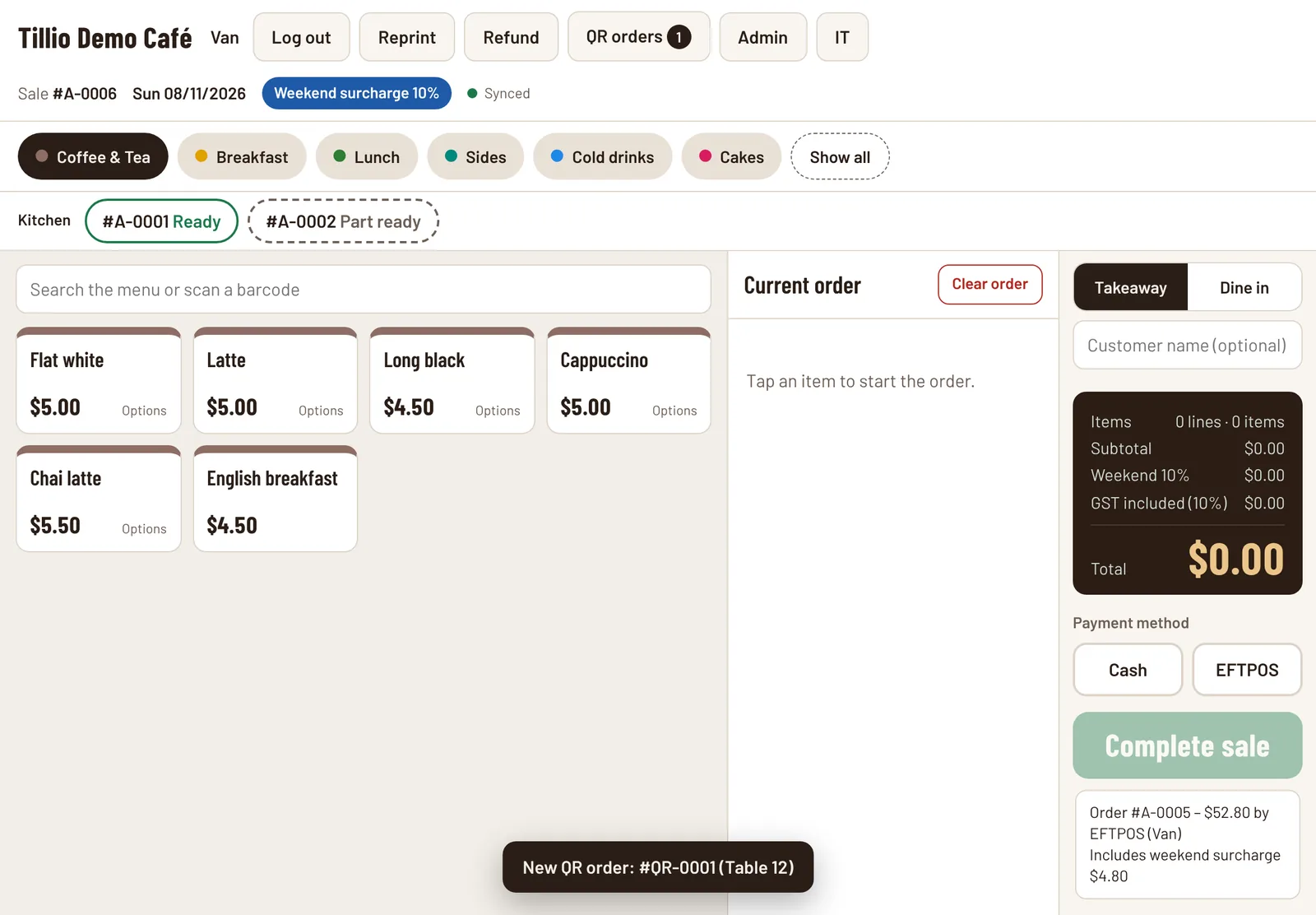
Real Tillio screens. Demo venue, sample data.
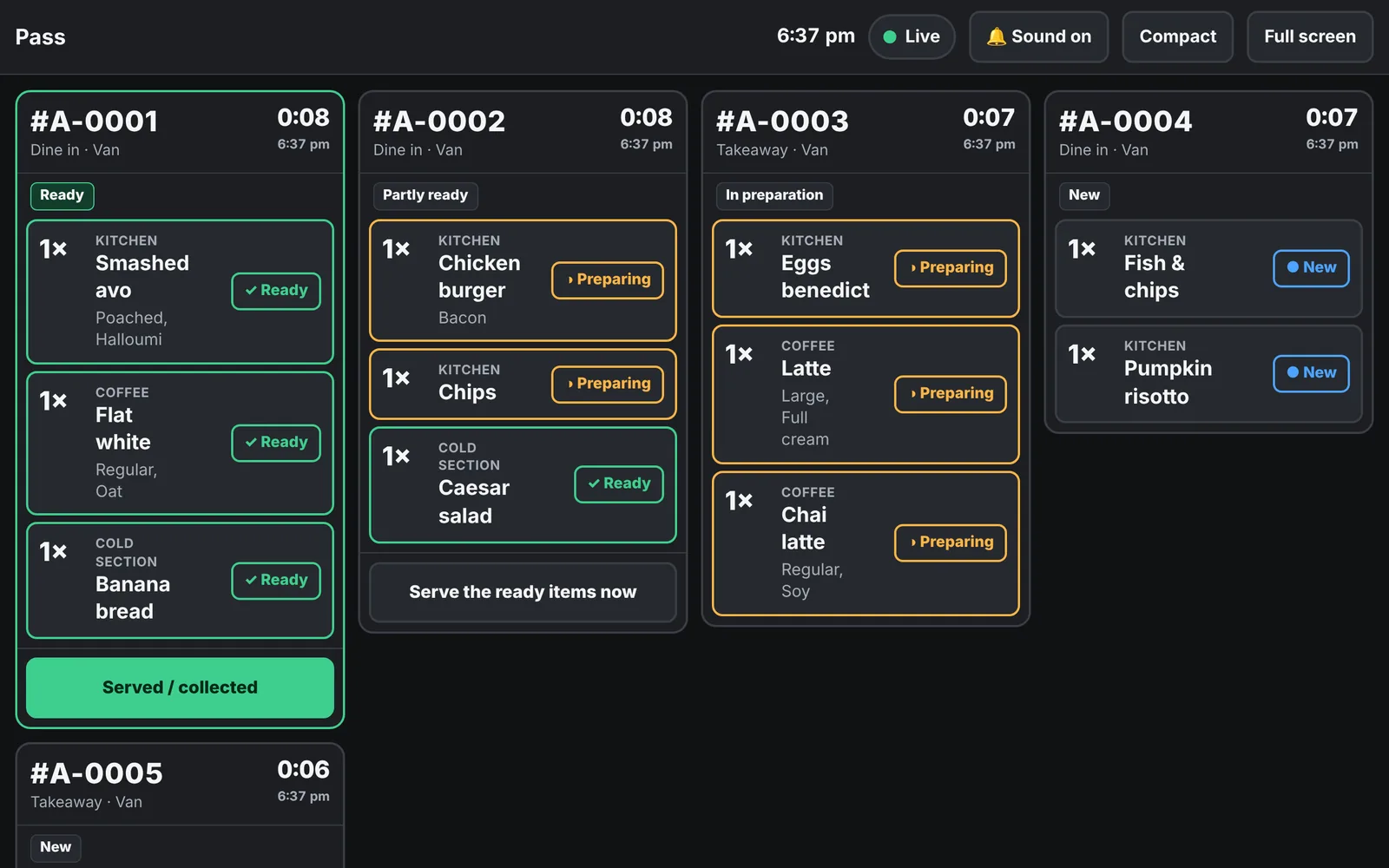
The same orders, seen from the counter and from the pass. When the kitchen marks an order ready, the POS shows it straight away.
Start with what you need, add the rest when you're ready
- Live
Tillio POS
Fast, clear checkout for the counter and the floor.
Explore Tillio POS - Live(switched on per venue)
QR table ordering
Guests order and pay from their table, no app needed.
Explore QR table ordering - Live(switched on per venue)
Kitchen Display System
Every item sent to the right station, live.
Explore Kitchen Display System - Live
Payments
Use your own terminal today; integrated EFTPOS in development.
Explore Payments - Live(core stock tracking)
Stock and inventory
Stock on hand, deliveries and low-stock alerts.
Explore Stock and inventory - Live
Reporting and insights
Today's numbers, top sellers and trends at a glance.
Explore Reporting and insights
Running on your own devices? See compatible hardware.
See the whole platform in action
We'll show you a real order travelling from the counter or a guest's phone to the kitchen, the pass and the dashboard.