Kitchen Display System
Live(switched on per venue)Every item to the right station, the moment it's ordered
Tillio's kitchen display replaces paper dockets with live screens. Run one screen in a small café, or route each item to its own station and bring the whole order together on a pass screen.
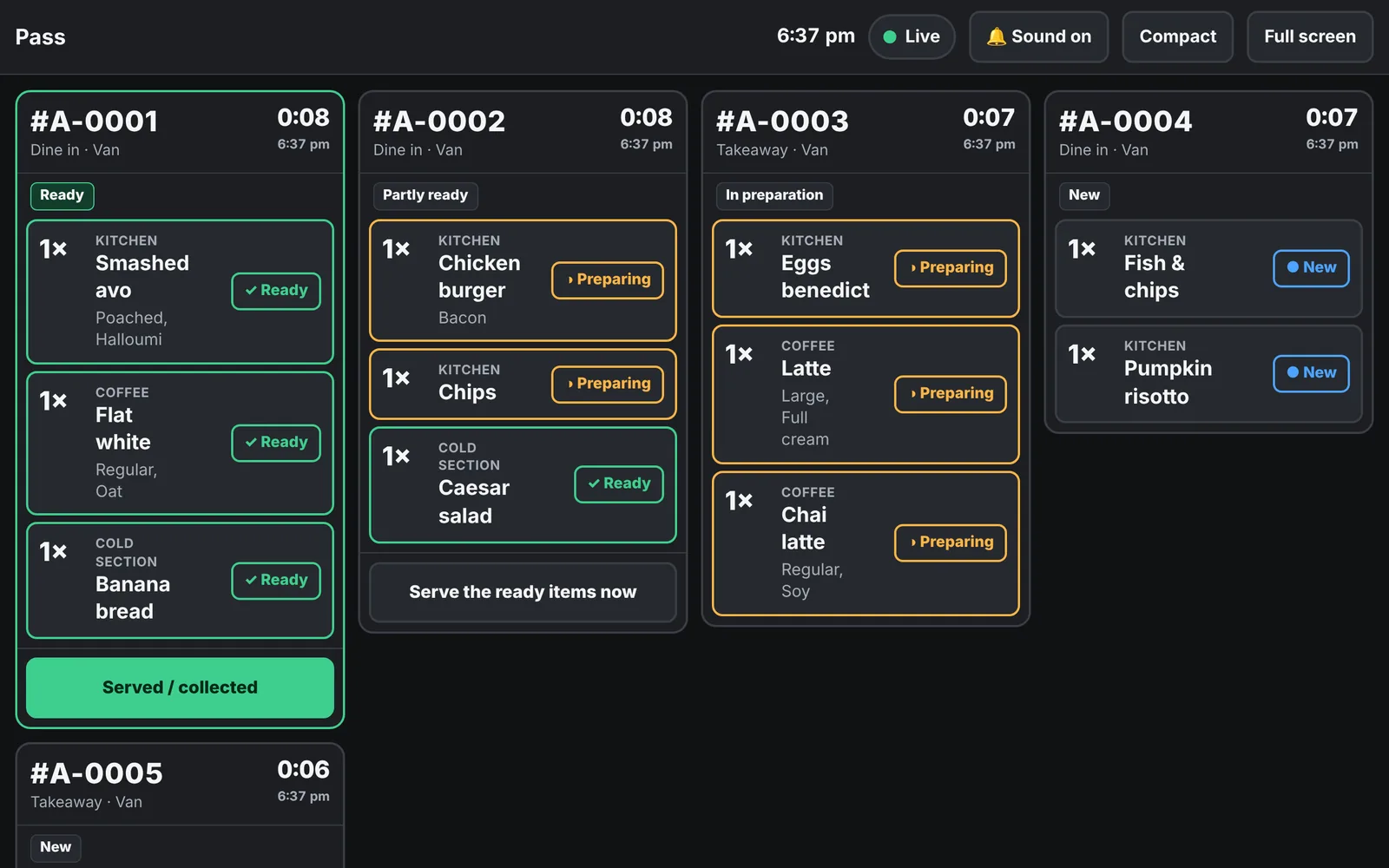
Real Tillio screens. Demo venue, sample data.
- One screen, or several stations with a pass
- Routing by category, item or option
- Recovers missed orders automatically after a drop-out
Kitchen Display System, step by step
- 01
Sale saved
When a sale or QR order is saved, its kitchen ticket is created in the same step.
- 02
Routed per item
Burger to the grill, salad to cold, coffee to the barista: each item goes where it's made.
- 03
Made and marked
Each station marks its items preparing and ready.
- 04
Brought together
The pass screen shows when the whole order is ready, and the POS shows it too.
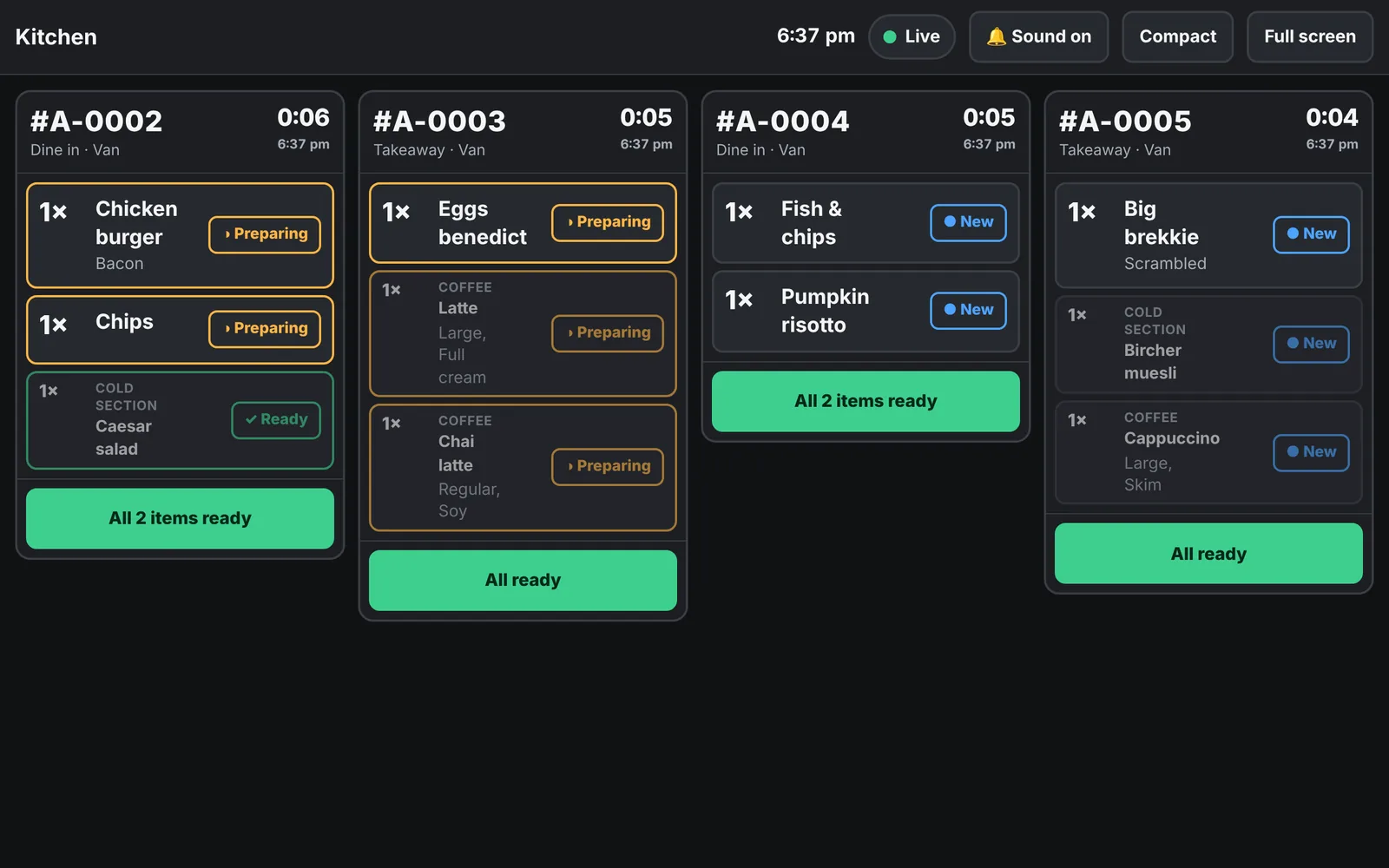
Real Tillio screens. Demo venue, sample data.
What it does today, and what's next
Every capability is labelled, so you know exactly what's available now.
Live
Available in Tillio today.Single-screen or multi-station
LiveThe same tickets underneath, so you can grow from one screen to several.
Item-level routing
LiveRoute by category, override by menu item, or add a station for a chosen option.
Consolidated pass screen
LiveSee every item of an order with its station and status. Serve all at once or the ready items first.
Ready strip on the POS
LiveFront-of-house sees which orders are ready, right on the POS.
Real-time with recovery
LiveScreens update live and catch up on anything they missed after a drop-out, without duplicates.
Never blocks a sale
LiveIf the kitchen screen has a fault, the sale still saves and dockets still print.
Any tablet or screen
LiveRuns in the browser. Pair a screen with a one-time code; remove it instantly.
Planned
On the roadmap. We'll update this page when work starts.Courses and hold/fire
PlannedSend starters and mains at the right time.
Bump bars
PlannedPhysical buttons for busy stations.
Common questions
What hardware do I need for the kitchen display?
Any tablet, monitor or screen with a modern web browser. Each screen is paired with a one-time code and can be limited to its stations.
What happens if the kitchen Wi-Fi drops?
The screen shows that it's reconnecting, then catches up on every order and change it missed, without duplicates. Sales at the POS are never blocked by a kitchen fault.
Can I keep my kitchen printers?
Yes. Kitchen printing keeps working alongside the display, so you can switch over gradually.
Connected to the rest of Tillio
- Live
Tillio POS
Fast, clear checkout for the counter and the floor.
Learn more about Tillio POS - Live
QR table ordering
Guests order and pay from their table, no app needed.
Learn more about QR table ordering - Live
Reporting and insights
Today's numbers, top sellers and trends at a glance.
Learn more about Reporting and insights
See the kitchen display with your menu
Book a demo and we'll show you how it would work in your venue, including what's live today and what's still to come.