Restaurants & cafés
Coffee orders full of milk and size choices, breakfast tickets for the kitchen and tables ordering from their phones, all in one flow. Each item goes to the station that makes it, and the pass brings the order back together.
Tillio for hospitality
Cafés, restaurants, bars and takeaways run on timing. Tillio keeps the counter, the tables and the kitchen working from the same orders, so the team can focus on guests rather than chasing dockets.
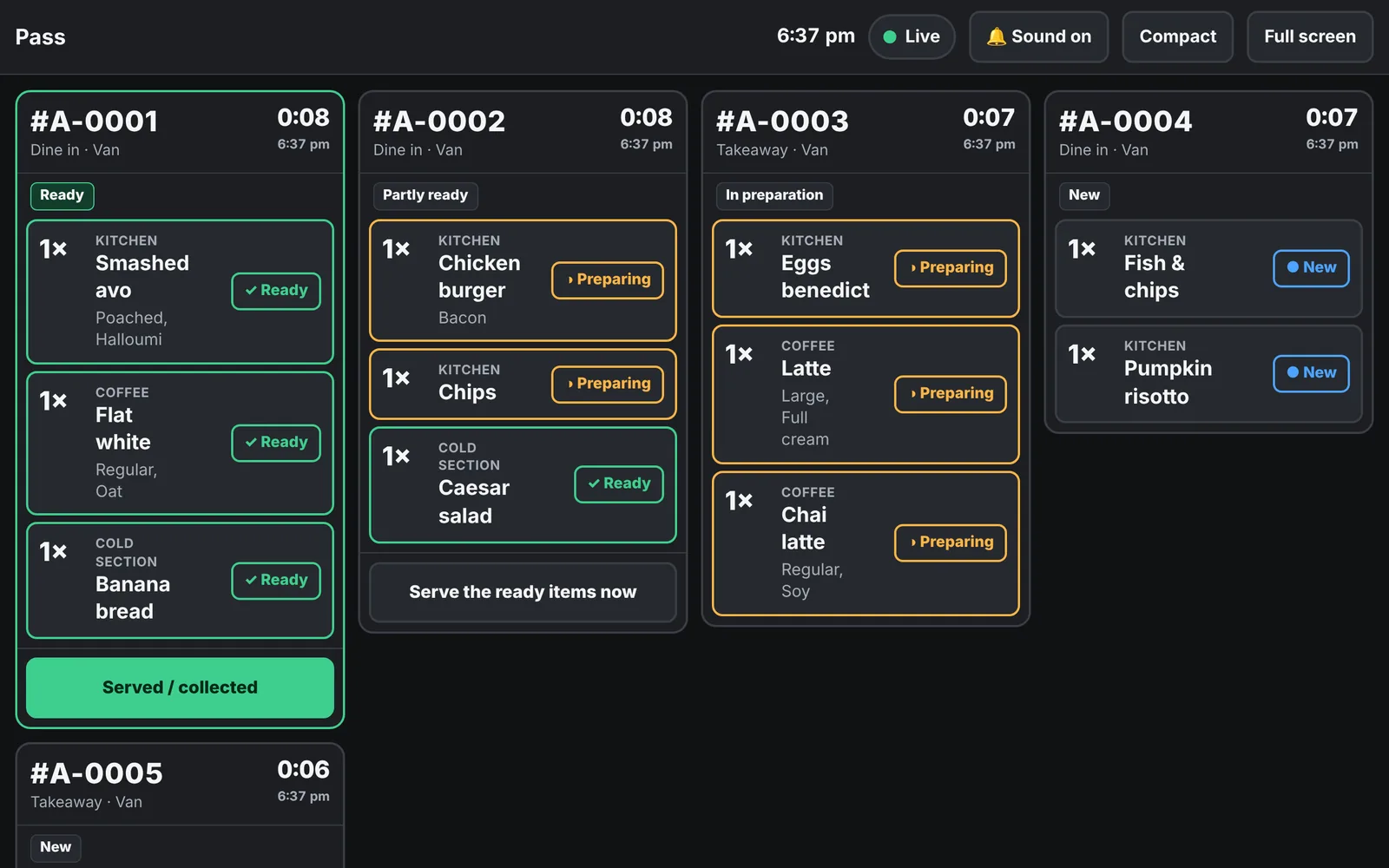
Real Tillio screens. Demo venue, sample data.
Coffee orders full of milk and size choices, breakfast tickets for the kitchen and tables ordering from their phones, all in one flow. Each item goes to the station that makes it, and the pass brings the order back together.
Fast drink tiles, manager control over refunds and voids, and stock on the bottles and cans that matter. Guests in the beer garden can order from their table instead of queuing at the bar.
When the queue is out the door, every tap counts. Takeaway orders carry the customer's name to the kitchen, the kitchen display keeps the line moving, and the POS shows the moment an order is ready.
Start with one venue and add the next when you're ready. Every venue gets its own Tillio address and database, so each site's data stays separate, and each can run its own menu and settings.
The details that overseas systems treat as add-ons are built into Tillio.
Set your rates and public holidays; Tillio applies the right surcharge and reports it separately.
GST is calculated on taxable items only and shown clearly for your bookkeeper.
Sales after midnight count towards the day they started, so late nights don't split your takings.
Dockets and receipts print Vietnamese characters correctly, on network and USB printers.
Yes. The kitchen display and QR ordering are switched on per venue when you're ready, using the same menu and orders you already have.
Not if you move to the kitchen display, but you can keep them. Many venues run both while their team gets used to the screens.
Yes. Each QR code can have an area such as Courtyard, and there are codes for the counter, takeaway and events as well as tables.
Book a demo and we'll walk through Tillio with your menu or product range in mind.