Your counter, kitchen and tables, working as one.
Checkout, QR table ordering, kitchen screens and stock in one live system, built for how Australian venues run.
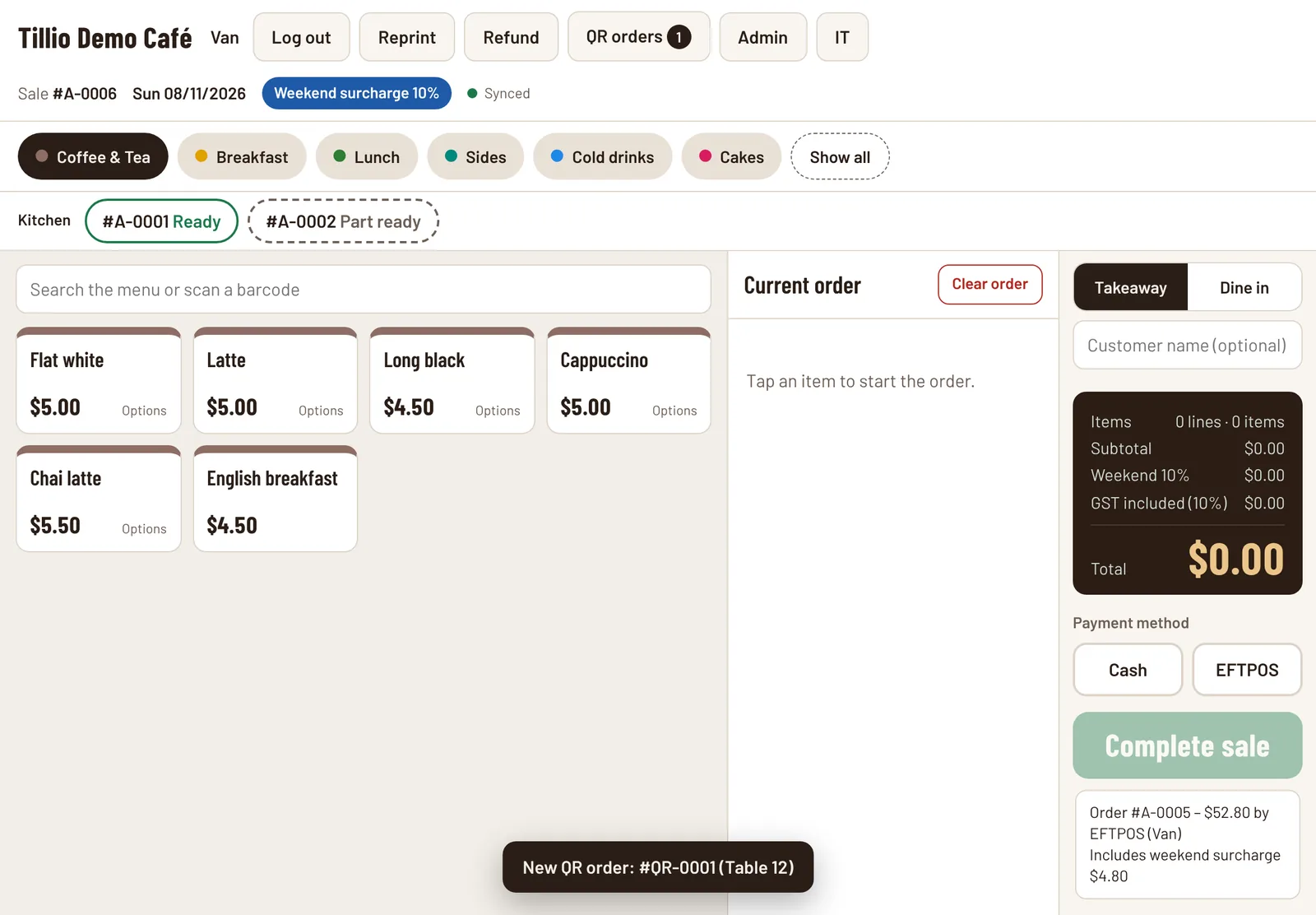
Real Tillio screens. Demo venue, sample data.
- In daily service at a working Australian venue
- GST, weekend and public holiday surcharges built in
- A separate database for every venue
- Keeps selling when the internet drops
Take the order once. Every screen knows.
Follow the Table 12 order from the docket up top. These are the real screens it lands on.
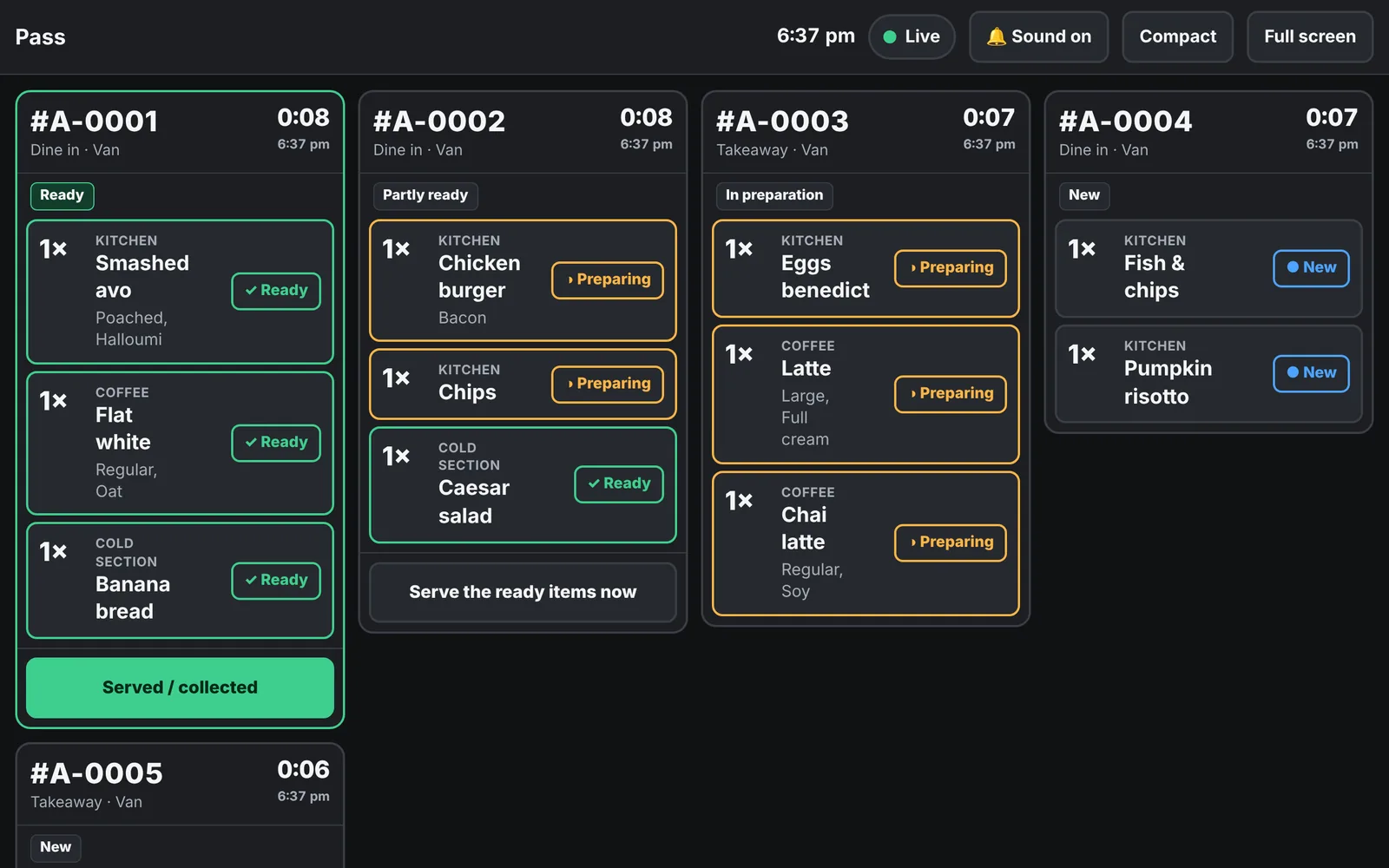
How the platform fits togetherThe kitchen has the ticket
The ticket is saved in the same step as the sale, so it reaches the right station and the pass straight away. Nobody re-keys it.
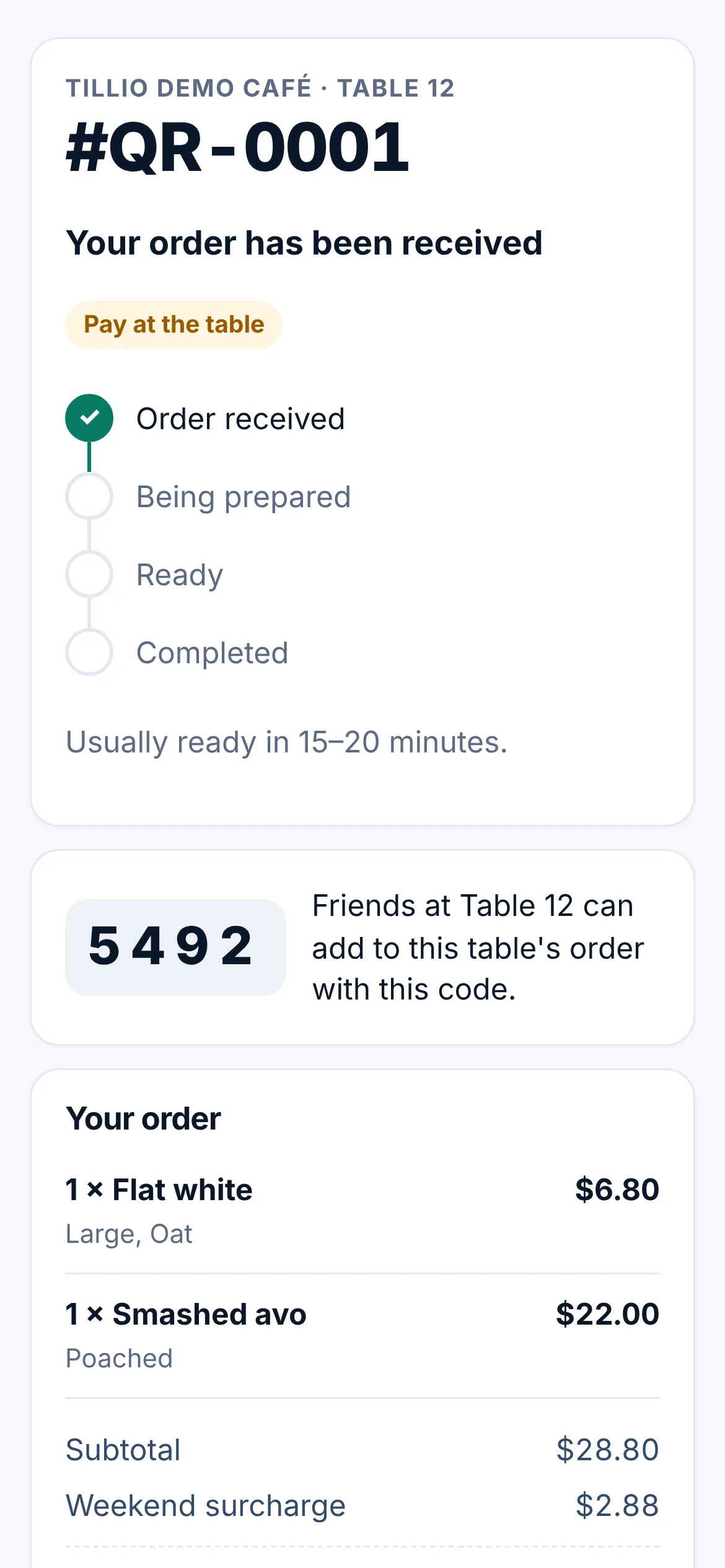
The guest can see it too
QR guests follow their order on their own phone, from received to ready, without flagging down staff.
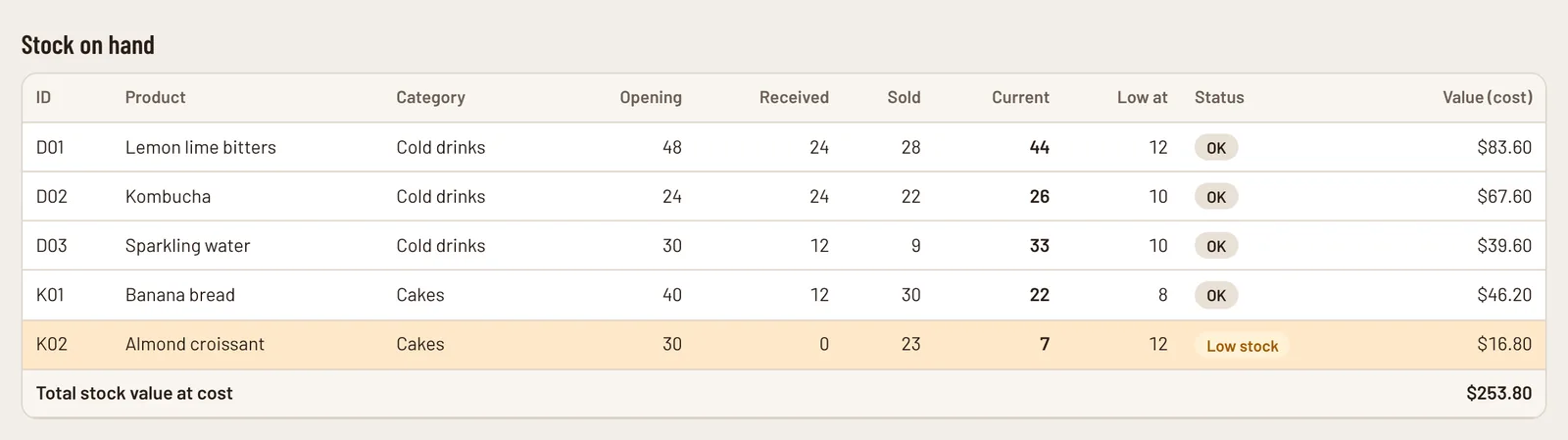
Stock comes off by itself
Tracked items count down with every completed sale. Void the sale and the stock comes back.
The day's numbers move
Sales by hour, category, staff and payment method, updated as you trade instead of after close.
Everything a busy service needs, built to work together
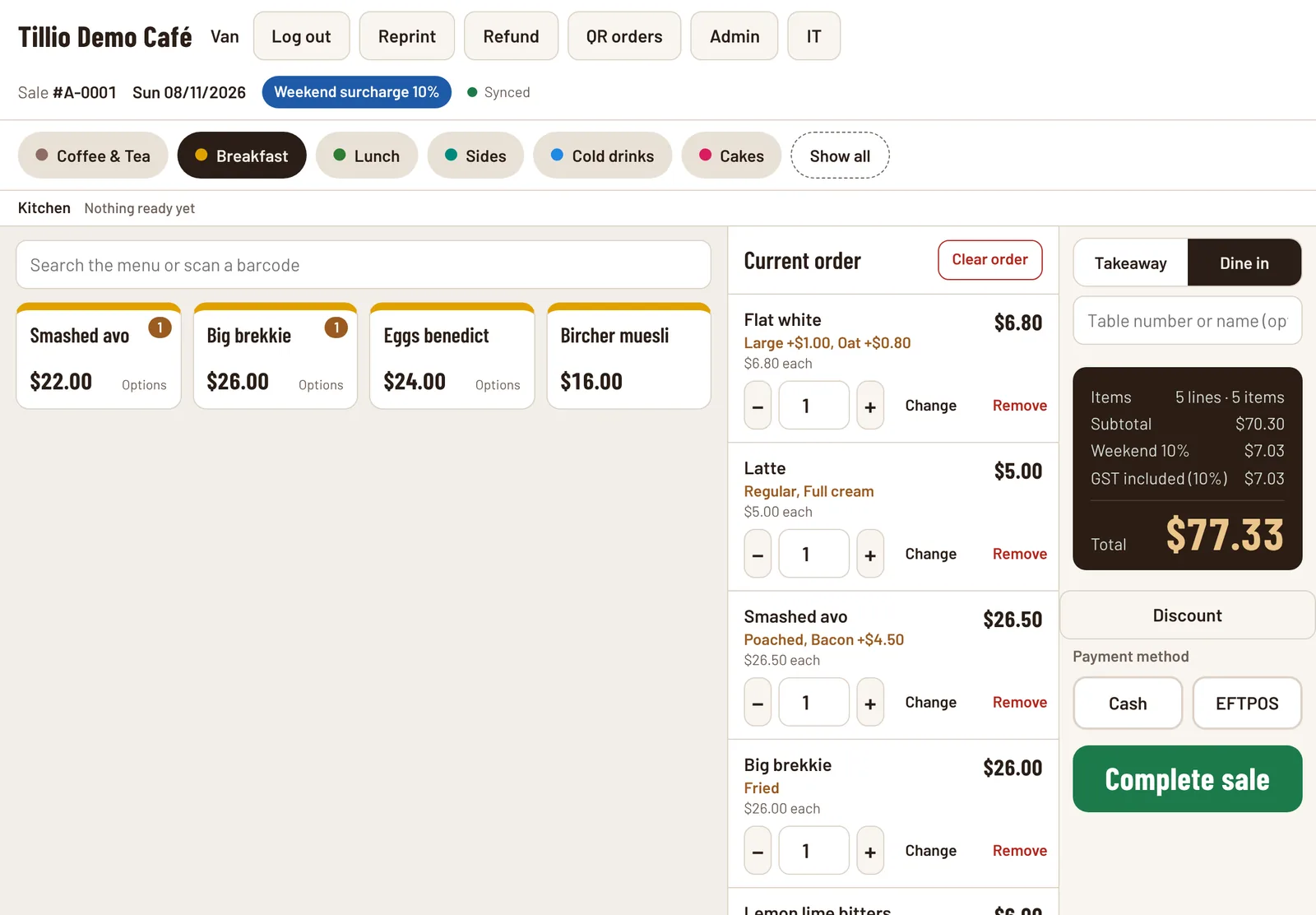
- Tillio POSLive
Checkout that keeps pace with a busy service
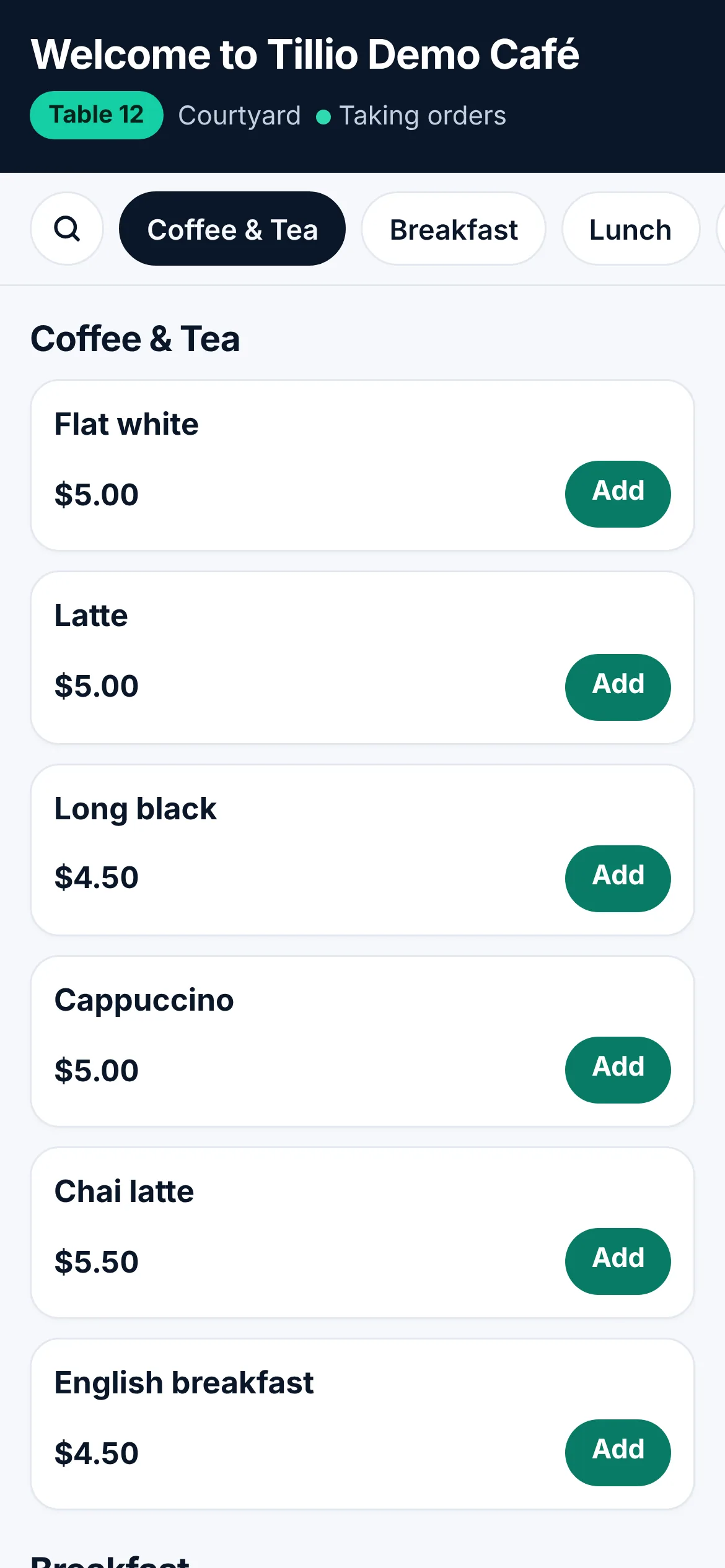
- QR table orderingLive
Let every table order for itself
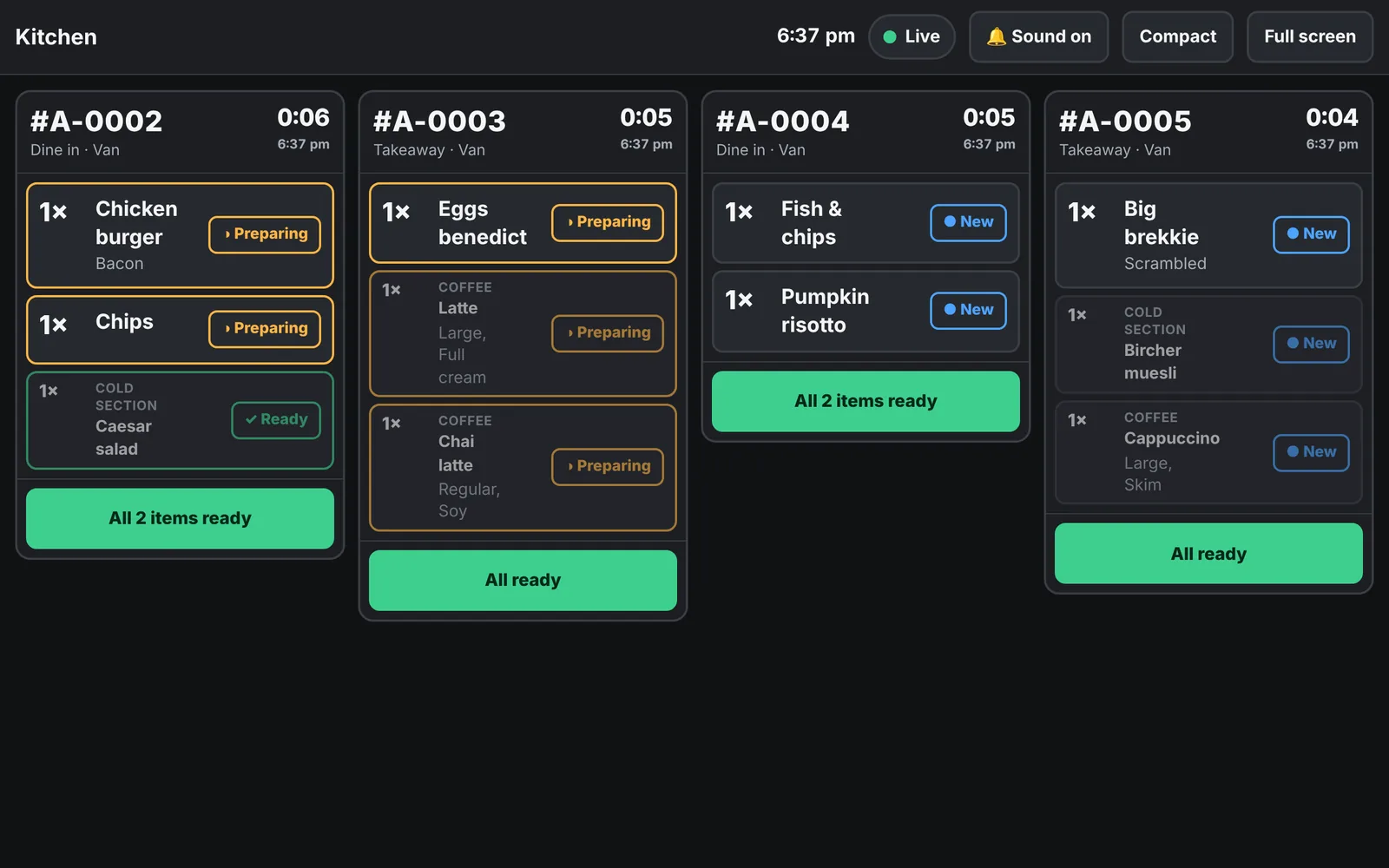
- Kitchen Display SystemLive
Every item to the right station, the moment it's ordered
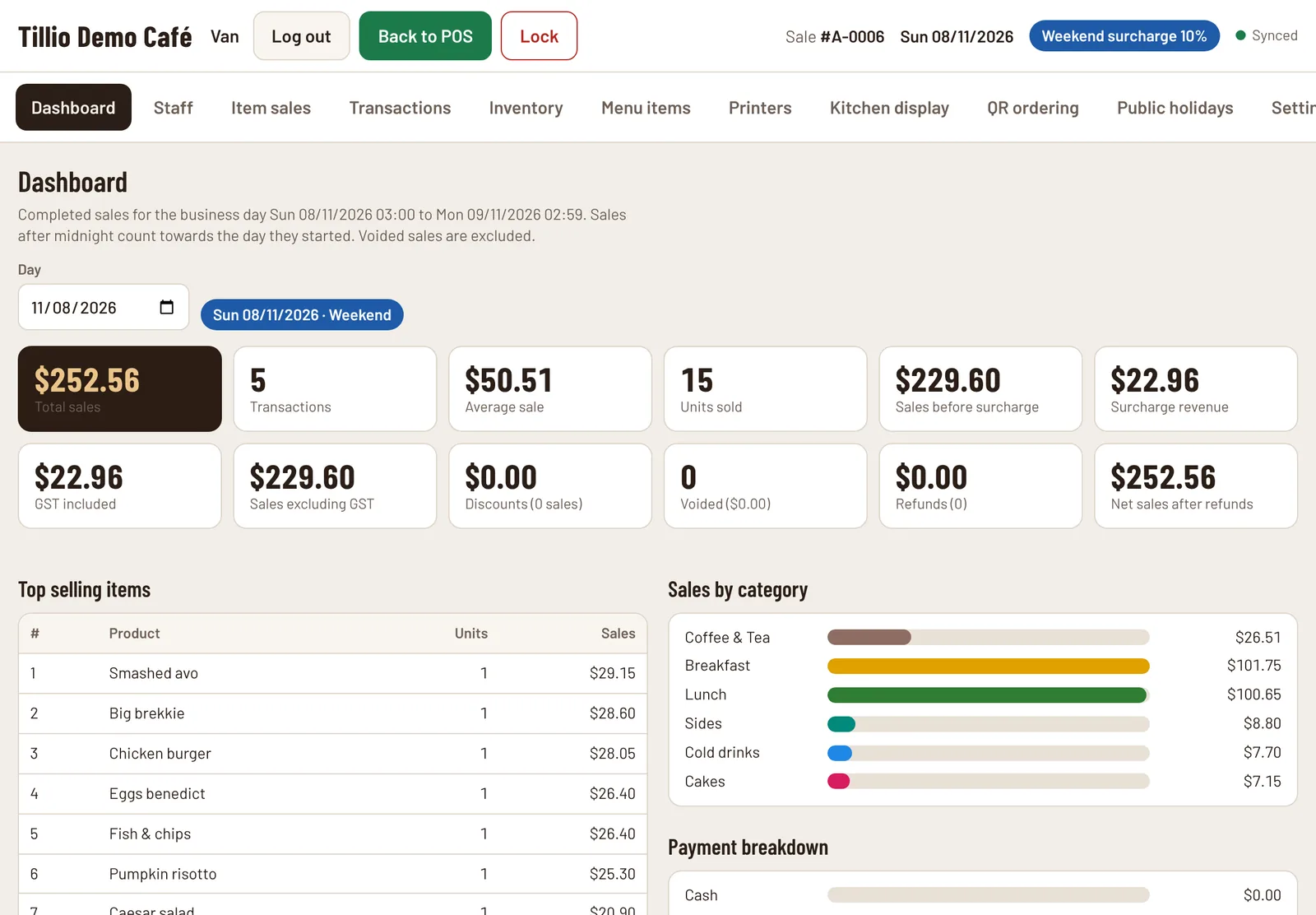
- Reporting and insightsLive
See how the day is going without waiting for close
Today's numbers, top sellers and trends at a glance.
Learn more about Reporting and insights - Stock and inventoryLive
Know what's on the shelf before you run out
Stock on hand, deliveries and low-stock alerts.
Learn more about Stock and inventory - PaymentsLive
Take payments your way, and keep your money moving straight to you
Use your own terminal today; integrated EFTPOS in development.
Learn more about Payments
Choose your business. See what Tillio does for it.
The labels are honest: Live means it works today.
Tillio for cafés
Morning rushes live on speed. Milk, size and extra-shot choices are one tap, the barista gets their own screen, and the weekend surcharge takes care of itself.
- Options for milk, size and extras, priced as you tapLive
- A coffee station on the kitchen displayLive
- QR ordering for tables and the courtyardLive
- Stock for cakes and bottled drinksLive
- Weekend and public holiday surchargesLive
- Integrated EFTPOSIn development
What's live, what's next
The full roadmapLive
Live- Menu tiles, categories and search
- Options and modifiers
- Dine in and takeaway
- GST and surcharges
In development
In development- Line discounts and price overrides
- Integrated EFTPOS
- Movement history and stocktakes
- Multi-location stock
Planned
Planned- Tables, tabs and split bills
- Customer-facing display
- Online ordering for pickup and delivery
- Courses and hold/fire
Built by operators
Designed behind the counter, not just in front of a screen
Tillio is built by a founder with years on the floor and a background in ICT support and cyber security, and it runs in a working venue every day. So it handles what actually goes wrong: dropped Wi-Fi, a busy pass, a refund that needs a manager.
- Server-checked access
- Passcodes and manager approvals are checked by the server, with every refund and void recorded.
- Each venue separate
- Every venue has its own address and its own database. One venue can never see another's data.
- Built for drop-outs
- The POS keeps selling offline; kitchen screens recover missed orders without duplicates.
- Australian by default
- AUD, GST included, weekend and public holiday surcharges, and Australian date formats.
Ready to see Tillio in your venue?
We'll walk through the POS, QR ordering and kitchen display with your own menu in mind.